Your Sites. Always Backed Up. Always Restorable.
Connect your storage and enable daily or manual backups for full peace of mind.
Key Highlights
S3-Compatible Storage
Use AWS S3 or any S3 provider of your choice.
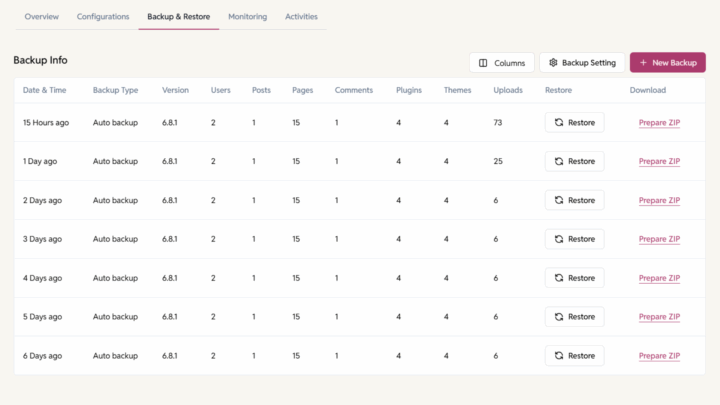
Daily Auto-Backups
Configure per site — and toggle anytime.
1-Click Restore
Revert instantly with full meta info.
Download Backups
One click export your backups easily.
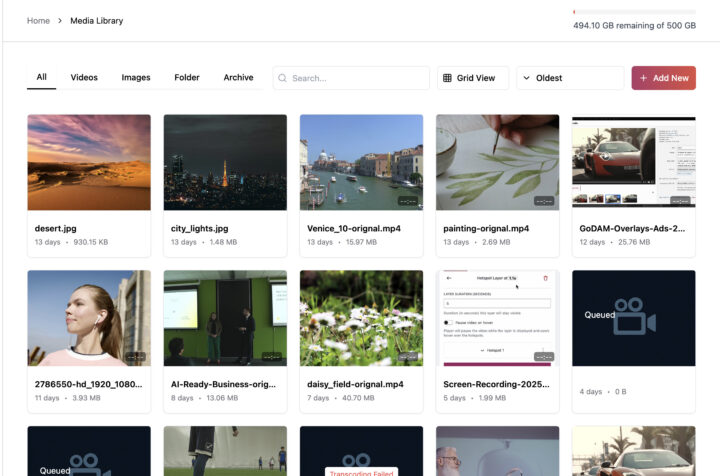
Centralized Media Library
Organize all your videos, images, and folders from multiple sites in one central dashboard. Easily search and sort files, structure your library into folders or subfolders, copy sharable links and a lot more.
How it works
1
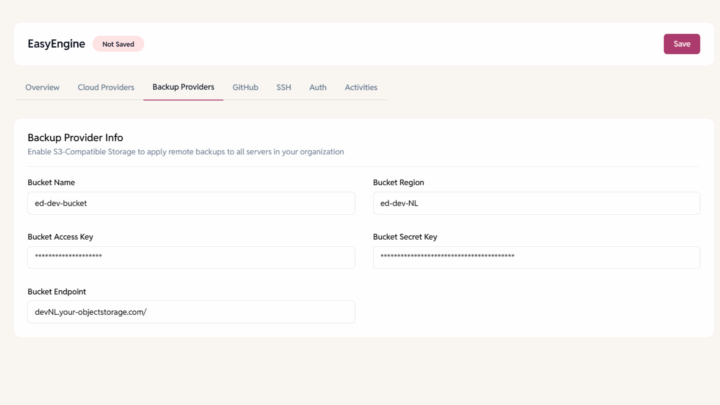
Connect S3 Provider
Add your bucket credentials in dashboard.
2
Toggle Auto or Manual
Schedule daily jobs or trigger backups manually.
3
Restore When Needed
Select version → Click Restore → You’re done.
FAQ
- 24/7 community support
- Priority email support
- Comprehensive documentation
- Video tutorials
Have more questions?
Where are backups stored?
On your connected S3-compatible provider.
Can I download my backups?
Yes, all versions are downloadable.
Do you store backups too?
No — only your connected storage is used.